How to make a runway angel clip from one photo
 Victoria Secret Video AI
Upload one clothed adult photo on Victoria Secret Video AI and download a vertical catwalk walk, turn, and pose.
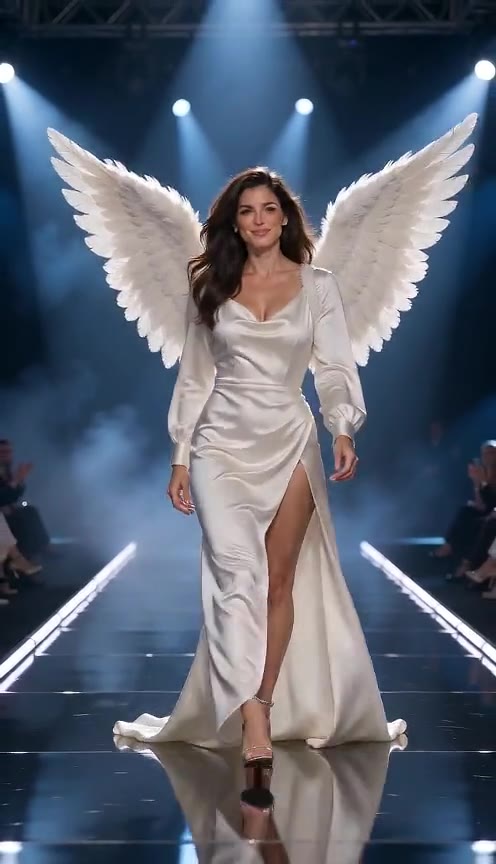
Victoria Secret Video AI turns one photo into a short runway angel clip. The person walks a catwalk toward the camera, turns, and holds a pose. The clothes stay the ones already in the photo.
This site is an independent creative tool. It is not affiliated with, endorsed by, or connected to Victoria’s Secret or any of its owners.
What you need
- One photo of a consenting adult, clothed, ideally full body.
- JPEG or PNG, 10MB or smaller.
- A signed-in account with 10 credits.
Do not upload minors. Do not upload a celebrity or anyone else for a non-consensual deepfake. Do not upload logos, wing marks, or brand text.
Steps
- Open victoriasecretvideoai.com and add the photo.
- Leave mute off if you want generated ambience, or tick mute if you will add a track later.
- Press Make my clip and sign in.
- Wait a few minutes. You can leave the page. The clip keeps rendering.
- Download the 9:16 MP4 from the page or from My generations.
One successful clip spends 10 credits. Packs are $9.90 for one, $19.90 for three, and $29.90 for five. Credits last 365 days. If the job fails, those 10 credits return automatically.
What the model does
The default model is Kling 2.6 image-to-video, about 10 seconds. An administrator can switch the server to Seedance 2.5 (8 seconds, still 9:16, still the same one photo). There is no prompt box and no reference dance video. The generator is told to keep the face, hair, body, and outfit, and to refuse nudity, underwear, a second person, and brand marks.
Questions go to support@victoriasecretvideoai.com.